
Irregular Polygon Area Calculator
Calculate the exact area of any irregular polygon — quadrilateral, pentagon, hexagon, or a shape with many more sides. Choose the input method that matches the data you have: point coordinates, side lengths with interior angles (a land-survey traverse), or a right-angle (rectilinear) shape like an L-shaped room or plot. Every mode uses the Shoelace (Gauss) formula behind the scenes and shows a live drawing of your shape.
Enter the X and Y coordinate of each corner, in order, as you move around the shape’s boundary.
| # | X | Y |
|---|
Use this when you know each side’s length and the interior angle at each vertex — the way a land surveyor records a traverse. The angle at Point 1 only sets the drawing’s rotation and does not affect the calculated area, so it is left out.
| Point | Interior Angle (°) | Length of Side to Next Point |
|---|
For shapes where every side meets the next at a right angle (an L-shaped room, a compound plot, a staircase outline). Pick the direction you walk for each side and its length; the shape is drawn automatically.
| Side | Direction | Length |
|---|
Struggling to calculate the area of a shape that does not have equal sides? This is a common problem when working with land plots, map points, or custom layouts.
Most real-world shapes are not perfect squares or rectangles. They have uneven sides and angles, which makes manual calculation difficult and time-consuming.
This calculator covers three common situations: you already have coordinates for each corner, you have side lengths and interior angles from a survey or drawing, or you have a right-angle (rectilinear) shape like an L-shaped room where every corner is 90°. Pick the matching tab above, enter your values, and get the exact area, perimeter, and a scaled drawing of your shape instantly.
Calculate Area of an Irregular Polygon
An irregular polygon is a shape with unequal sides and angles. Because of this, there is no single simple formula like regular shapes.
In practical situations, this becomes a challenge. For example, a land boundary may have multiple corners with no uniform pattern. Measuring each side and dividing the shape manually often leads to errors.
This calculator removes that complexity. Depending on the data you have, you enter coordinates, or side lengths with angles, or a sequence of directions and lengths. The tool then calculates the total enclosed area automatically.
This approach works for both simple and complex shapes, no matter how many sides they have.
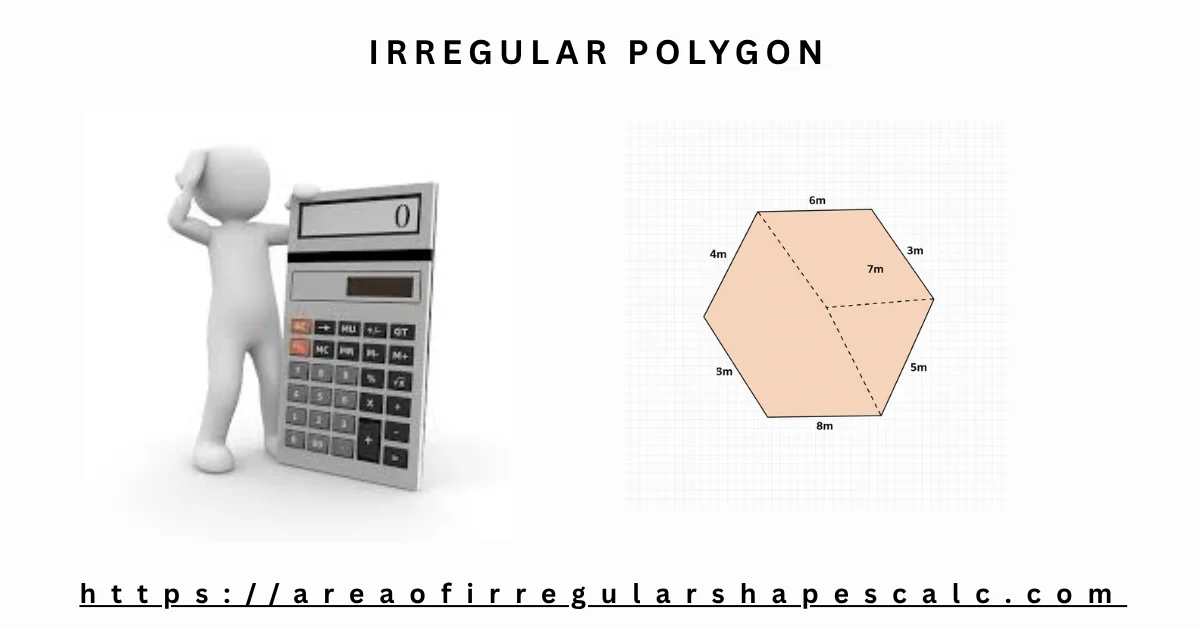
How to Use the Irregular Polygon Area Calculator
Using the calculator is simple, but accuracy depends on how the values are entered. Choose the tab that matches the data you already have.
Method 1: Enter Coordinates (X, Y)
Use this when you know the position of each corner. Enter the X and Y coordinate of each point, moving in order around the boundary of the shape, then choose the unit and click Calculate Area. Add or remove points as needed — there is no limit on the number of sides.
Method 2: Enter Side Lengths and Interior Angles
Use this when you measured (or were given) each side’s length and the interior angle at each corner — the way a land surveyor records a traverse. The calculator walks the shape for you and reconstructs the coordinates automatically.
Method 3: Enter Directions for a Right-Angle Shape
Use this when every corner of the shape meets at a right angle, such as an L-shaped room, a compound plot, or a staircase-shaped outline. Instead of angles, you just pick a direction (right, up, left, or down) and a length for each side.
In every mode, the calculator draws your shape to scale after you click Calculate Area, so you can visually confirm it matches what you intended before trusting the result.
How to Find the Area of an Irregular Polygon
Manually finding the area of an irregular polygon can be confusing. A common method is to divide the shape into smaller triangles or rectangles. However, this becomes difficult when the shape has many sides.
A better approach is to use coordinates. If you know the position of each corner, you can calculate the area using a coordinate-based formula.
Instead of applying that formula step by step, this calculator does it for you. You just enter the points and get the result without manual work.
Irregular Polygon Area Formula (Shoelace Formula)
This calculator uses a coordinate-based method called the Shoelace formula.
Area = ½ × |Sum of (x × next y − next x × y)|
Where, for each point going around the shape in order:
- x, y = the coordinates of the current point
- next x, next y = the coordinates of the next point in order, wrapping back to the first point after the last one
- “Sum of” means this calculation is repeated for every point and all the results are added together
The formula works by connecting each point to the next one in order. It multiplies and subtracts coordinate values in a pattern to calculate the total enclosed area.
You do not need to use this formula manually. The calculator applies it automatically once you enter the coordinates — or, in the other two modes, once it has worked out the coordinates from your side lengths and angles or directions.
Calculate Area of Polygon Using Coordinates
Coordinates define the exact position of each corner of a shape. When all points are connected, they form a closed boundary.
This calculator uses those points to measure the area inside the shape. It does not rely on side lengths or angles for this method.
This is useful in situations like:
- Measuring land using survey points
- Calculating plot size from maps
- Working with layout or design coordinates
Even with many sides, the calculation remains accurate.
Can You Calculate Area From Side Lengths Alone?
Side lengths alone are not enough to fix the area of an irregular polygon. Unlike a rectangle, an irregular shape can flex at its corners: the same four side lengths can form many different quadrilaterals, each enclosing a different area. To get one exact answer, you need one more piece of information for each corner — either the interior angle, or the coordinates directly.
Side Lengths and Interior Angles (Traverse Method)
If you know each side’s length and the interior angle at each corner, the shape is fully determined. This calculator starts at an arbitrary first point, walks forward along the first side, then turns at each corner by the exterior angle (180° minus the interior angle) before walking the next side. Repeating this all the way around reconstructs every coordinate, and the Shoelace formula then gives the area.
Rotating the whole shape does not change its area, so the angle at the very first point is not needed — only the angles at every other corner matter for the calculation.
Worked Example: Traverse Method
Suppose a survey recorded four sides of 5 meters each, turning through a 90° interior angle at every corner after the first:
Side 1 (Point 1 to Point 2): 5 m
Interior angle at Point 2: 90°, Side 2: 5 m
Interior angle at Point 3: 90°, Side 3: 5 m
Interior angle at Point 4: 90°, Side 4: 5 m (closes back to Point 1)
Area = 25 square meters
Perimeter = 20 meters
Because every side is 5 meters and every angle is 90°, this traces out a square, which confirms the result (5 × 5 = 25). The calculator performs the same walk instantly for any mix of side lengths and angles.
Right-Angle (Rectilinear) Shapes: L-Shapes and Compound Plots
Some shapes never use any angle other than 90° — an L-shaped room, a compound plot made of rectangular sections, or a staircase-shaped boundary. For these, you do not need to enter angles at all. Instead, pick a direction (right, up, left, or down) and a length for each side, and the calculator walks the outline for you.
Worked Example: L-Shaped Room
Consider an L-shaped room recorded as six straight walls, always turning at a right angle:
Right 6 m → Up 2 m → Left 3 m → Up 2 m → Left 3 m → Down 4 m (back to the start)
Area = 18 square meters
Perimeter = 20 meters
You can check this by splitting the L-shape into a 6 m × 4 m rectangle (24 m²) with a 3 m × 2 m corner notch removed (6 m²): 24 − 6 = 18 m², which matches the calculator’s result.
Irregular Polygons by Number of Sides
The same three methods work regardless of how many corners the shape has. A few shapes come up often enough to be worth naming directly.
Irregular Quadrilaterals (4 Sides)
A four-sided irregular polygon (an irregular quadrilateral) is the simplest shape this calculator handles beyond a triangle. Enter its four corner coordinates, or its four side lengths with the interior angles at three of the four corners, and calculate as usual.
Irregular Pentagons (5 Sides)
A five-sided irregular polygon (an irregular pentagon) follows the same process with one extra point or side. There is no separate pentagon-only formula needed — the Shoelace method and the traverse method both scale to any number of sides without changes.
Irregular Hexagons (6 Sides)
Six-sided irregular shapes are common in land plots and floor plans. Add a row for each of the six points (or six sides), and the calculator handles the rest exactly as it would for any other polygon.
Irregular Heptagons and Octagons (7–8 Sides)
Seven-sided (heptagon) and eight-sided (octagon) irregular shapes work the same way. Add one row per corner or per side; there is no practical limit on how many points you can add.
Polygons With Many Sides
Boundary surveys, terrain outlines, and complex floor plans can easily have ten, twenty, or more corners. Because the Shoelace formula and the traverse walk both work point-by-point, adding more rows does not change how the calculator works — only how many rows you need to fill in.
Examples of Irregular Polygon Area Calculation
Understanding becomes clearer with an actual calculation example.
Example 1: 4-Point Irregular Polygon (With Calculation)
Suppose you have the following coordinates:
(1,1), (4,1), (4,5), (2,4)
Step 1: List the points in order and repeat the first point at the end
(1,1), (4,1), (4,5), (2,4), (1,1)
Step 2: Apply the Shoelace pattern
(1×1 + 4×5 + 4×4 + 2×1) − (1×4 + 1×4 + 5×2 + 4×1)
Step 3: Solve each side
(1 + 20 + 16 + 2) − (4 + 4 + 10 + 4) = 39 − 22 = 17
Step 4: Divide by 2
Area = 17 ÷ 2 = 8.5
So, the area of the polygon is 8.5 square units. This is the same worked example pre-filled in the Coordinates tab above — click Calculate Area there to see it confirmed instantly.
Example 2: 5-Point Irregular Polygon
Consider a polygon with five coordinate points. In this case, you only need to enter all five points in order.
The calculator will automatically connect each point and apply the same formula in the background. You do not need to divide the shape or perform manual steps.
This is useful when working with irregular land plots that do not follow a simple shape.
Example 3: Polygon with Many Sides
Some shapes have many corners, such as boundary maps or layout designs. These shapes can have 6, 8, or even more points.
Manually calculating such shapes is difficult and time-consuming. With this calculator, you can enter all points and get the area in one step.
There is no strict limit on the number of sides, which makes it practical for complex shapes.
Example 4: Coordinates from Real-World Data
In real scenarios, coordinates often come from survey tools, GPS, or mapping software.
Instead of converting these points into regular shapes, you can directly input them into the calculator. The tool processes the coordinates and gives an accurate area without additional steps.
This makes it especially useful for land measurement, planning, and design work.
Converting the Result to Different Units
The area of a shape does not change depending on which unit you measure it in — only the number does. This calculator shows the result in several units at once so you do not need a separate conversion step.
Square Meters, Square Feet, and Square Yards
Pick the unit your coordinates or lengths are already in (meters, centimeters, feet, inches, or yards), and the calculator converts the result into square meters, square centimeters, square feet, and square yards automatically, using the standard definitions 1 ft = 0.3048 m and 1 yd = 0.9144 m.
Acres and Hectares for Land Area
For land and plot measurements, the result is also shown in acres and hectares, using the standard conversions 1 acre = 4,046.8564224 m² and 1 hectare = 10,000 m².
When to Use This Calculator
This tool is useful when dealing with real-world irregular shapes.
You can use it when:
- You have coordinates from a land survey
- You want to measure an uneven plot
- You are working on construction layouts
- You are solving coordinate geometry problems
- You have side lengths and angles from a traverse survey instead of coordinates
- You are measuring an L-shaped room or a compound plot made of right-angle sections
In these cases, manual calculation is slow and error-prone. This calculator provides a faster and more reliable solution.
Frequently Asked Questions
How do you find the area of an irregular polygon?
Use the coordinates of each point and apply the Shoelace method, or use side lengths with interior angles, or a sequence of directions for a right-angle shape. This calculator performs all three calculations automatically.
What formula is used to calculate irregular polygon area?
The Shoelace formula is used. It calculates area using coordinate points arranged in order, whether you entered those coordinates directly or the calculator derived them from side lengths, angles, or directions.
Can I calculate area using coordinates?
Yes. Enter the X and Y values of each point in the Coordinates tab. The calculator uses those coordinates to compute the area, perimeter, and a scaled drawing.
Can I calculate the area of an irregular polygon without coordinates?
Yes. If you know each side’s length and the interior angle at each corner, use the Side Lengths + Angles tab. Side lengths on their own are not enough — an irregular shape can flex at its corners, so you also need either the angles or the coordinates to get one exact area.
How do I calculate area from side lengths and interior angles?
Enter the length of each side and the interior angle at each corner (except the first, which only affects the drawing’s rotation) in the Side Lengths + Angles tab. The calculator walks the shape corner by corner and applies the Shoelace formula to the resulting points.
Can this calculator handle a shape where every corner is a right angle, like an L-shape?
Yes. Use the Right-Angle Shape tab. Choose a direction (right, up, left, or down) and a length for each side instead of entering angles, and the calculator reconstructs the outline automatically.
Does this work for pentagons, hexagons, and other named polygons?
Yes. Irregular pentagons, hexagons, heptagons, octagons, and shapes with even more sides all use the same coordinate, traverse, and right-angle methods. Just add one row per corner or side.
Can I calculate the area of an irregular quadrilateral (4-sided shape)?
Yes. A four-sided irregular polygon works the same as any other shape here — enter its four coordinates, or its four side lengths with three interior angles, and calculate as usual.
Is this calculator free to use online?
Yes. All three calculation modes, the drawing preview, and the PNG, JSON, and print exports are free to use directly in your browser.
How do I convert the area into square feet, square meters, or acres?
Choose the input unit that matches your data, then calculate. The result is shown at once in square meters, square centimeters, square feet, square yards, acres, and hectares, so no separate conversion step is needed.
Do I need interior angles to use the coordinate method?
No. The Coordinates tab only needs the X and Y position of each point. Angles are only required for the Side Lengths + Angles tab.
Can I use this calculator for land or plot measurements?
Yes. Whether you have survey coordinates, a traverse of side lengths and angles, or a rectilinear plot outline, the calculator returns the area in square meters, square feet, and acres alongside the perimeter.
What is the easiest way to calculate irregular polygon area?
The easiest way is to use a coordinate-based calculator like this one. It avoids manual errors, handles side-length-and-angle or right-angle data just as easily, and gives quick results in multiple units.